
Which platform will actually deliver better campaign results without wasting your budget?
You need clear, actionable facts to choose the right email tool for your team. This guide gives an apples-to-apples view of plans, features, and real value for modern email marketing across SMB and growth teams.
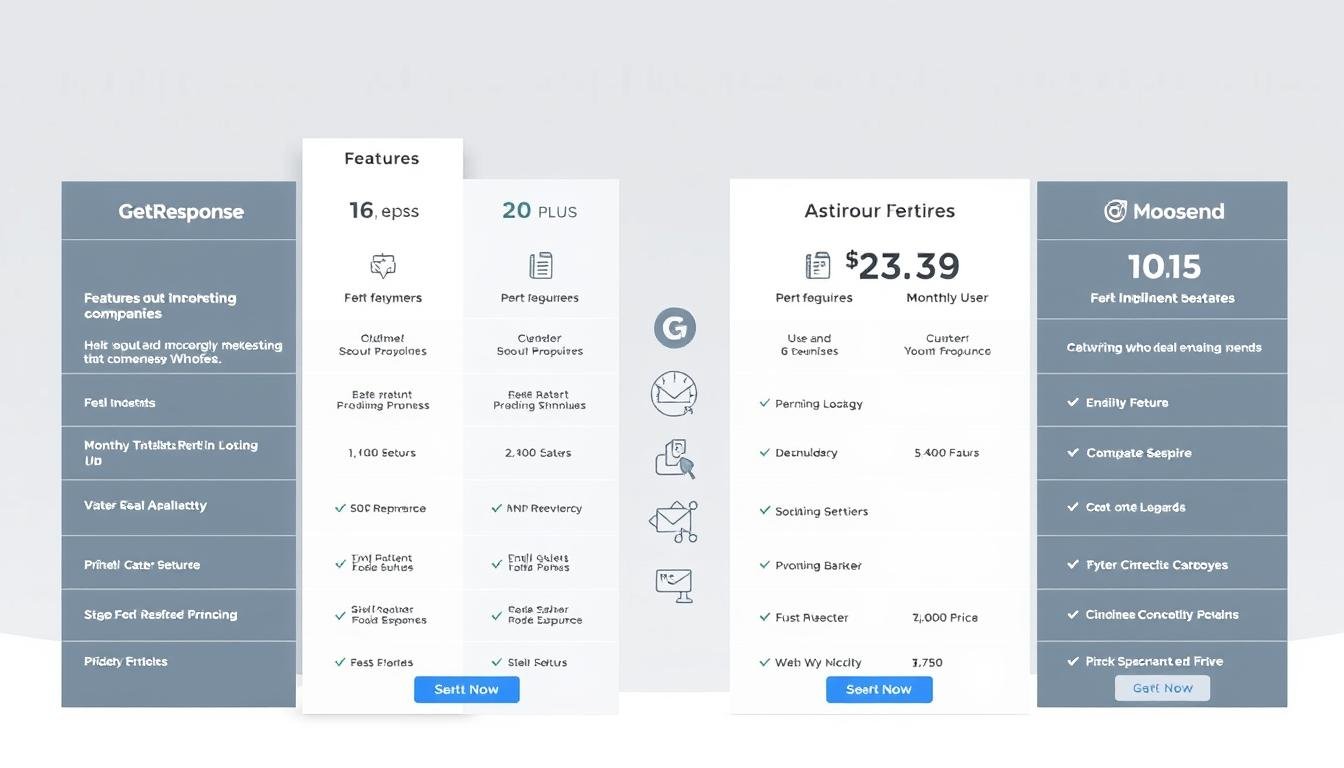
GetResponse ranges from Free to custom Max with automation, webinars, landing pages, and funnels. Moosend offers a Forever Free tier, a low-cost Pro plan, and Enterprise for larger needs. We also highlight workflow depth: one platform supports many triggers, rules, and actions while the other focuses on simplicity and e-commerce features.
We’ll point out deliverability safeguards, when to add high-converting pages, and which choices scale with your campaign goals. Read on for a measured verdict that aligns pricing to measurable value, not sticker shock.
Key Takeaways
- You’ll get a side-by-side look at plans and the real value each tool delivers.
- Automation depth differs sharply and affects complex campaign sequences.
- Moosend excels at ease of use and e-commerce basics; the other adds advanced funnels and webinars.
- Deliverability tools and testing matter as much as base features.
- Consider adding a page builder when conversion-focused pages are central to campaigns.
Overview: Choosing between GetResponse and Moosend for email marketing today
Your choice comes down to capability versus speed. If you need full-funnel marketing, one platform bundles automation, webinars, responsive templates, analytics, and conversion funnels into a single solution.
Prefer speed and simplicity? The alternative offers an intuitive drag-and-drop editor, segmentation, automation flows, real-time analytics, and AI product recommendations that suit small teams and ecommerce sellers.
Expect a steeper learning curve when you adopt the broader-featured option. It rewards that investment with deep workflow options, webinar modules, and advanced reporting around funnels and events.
The easier tool reduces setup time and keeps campaign production lean. Its interface helps users launch email campaigns quickly and maintain consistent execution with less training.
- Choose breadth when your business needs consolidated tools and advanced nurture paths.
- Choose ease when you value fast launches, clear UX, and lower operational overhead.
- Both platforms include analytics; pick the one that matches your team's bandwidth and roadmap.
At-a-glance pricing snapshot for quick decision-making
See at a glance which tier gives the features you need without overpaying for unused tools. This brief map helps you pre-qualify options fast, so you can focus on true fit instead of sticker shock.
Free, entry, and enterprise tiers compared side by side
| Tier | Entry cost (approx) | Core focus |
|---|---|---|
| Free / Forever Free | $0 | Starter email sends, limited contacts, basic pages |
| Pro / Basic | ~$8–$15 / month | Unlimited emails, landing pages, autoresponders |
| Plus / Professional / Enterprise | ~$49–custom | Webinars, funnels, advanced automation, SSO |
Who benefits most at each price point
- Budget-conscious SMBs: Pro-level entry is efficient when you send many email messages and need transactional options without heavy extras.
- Growing businesses: Mid tiers that include funnels and webinars help teams build complex email campaigns and reduce tool sprawl.
- Large organizations: Enterprise tiers add SSO, dedicated support, and consulting for governance and scale.
Quick checklist: check contact caps and page limits to avoid hitting a status wall mid-campaign. Evaluate whether added support and deeper analytics justify a higher monthly spend.
Plan tiers, inclusions, and true value by budget
Budget tiers align features to common milestones: list growth, mid-funnel conversion, and enterprise controls. Use this map to match a plan to your business needs and avoid paying for features you won’t use.
GetResponse: Free, Basic, Plus, Professional, and Max
Free is built for learning the core email tools and testing sends.
Basic (~$15) adds autoresponders, unlimited landing pages, and basic automation plus ready templates for faster list growth.
Plus (~$49) is the inflection point: webinars, funnels, and contact scoring arrive to power mid-funnel marketing.
Professional (~$99) scales automation depth and paid webinar support for mature lifecycle programs.
Max is custom: SSO and dedicated support suit regulated or enterprise teams that need governance.
Moosend: Forever Free, Pro, and Enterprise
Forever Free fits micro-lists with core features and caps.
Pro (~$8) includes unlimited emails, landing pages, transactional messages, and phone support — strong value for stores and promotions.
Enterprise adds SAML, an account manager, and custom reporting for larger organizations standardizing identity and reporting.
What features unlock at each tier that impact ROI
- Automation depth is a primary ROI lever: one platform offers 17 triggers/17 rules/18 actions while the other provides 6/4/11. Pick based on journey complexity.
- Integrations: confirm your plan grants the needed ecommerce or CRM integration to avoid hidden upgrades.
- Templates and page allowances reduce production time and improve execution consistency—verify limits before you upgrade.
- Budget tip: choose a tier that covers features you need now and next quarter to prevent disruptive mid-cycle changes.
Main differences in core marketing features
Decide which core tools speed execution and which deepen results. Focus on builders, templates, and advanced tools that shape how you run marketing day-to-day.
Email builders, templates, and mobile responsiveness
Builders: Both platforms use drag-and-drop editors. One emphasizes speed and simplicity for quick publish cycles. The other balances ease with advanced options and a library of responsive templates.
Templates: Responsive templates help keep brand consistency across devices and cut design time for every campaign.
Mobile experience: Both handle mobile rendering, but one pairs templates with funnels and webinar-ready pages to create an end-to-end experience.
Funnels, webinars, and advanced marketing tools
Funnels & webinars: One platform integrates webinar hosting and conversion funnels natively, reducing the need for extra tools.
Segmentation & AI: The other offers advanced segmentation and AI product recommendations for ecommerce personalization.
Analytics & testing: Both provide campaign analytics; consider a specialist landing solution when you need heatmaps and deep A/B testing.
| Feature | Speed / Ease | Advanced tooling |
|---|---|---|
| Drag-and-drop builder | Fast publish, simple editor | Advanced layout controls, responsive templates |
| Templates | Wide quick-edit library | Responsive designs for brand consistency |
| Funnels & webinars | Basic page flows | Native funnels and webinar hosting |
| Segmentation & AI | Strong segmentation, AI picks | Deeper automation and funnel analytics |
| Landing pages & testing | Included pages for campaigns | Use specialized tools for heatmaps and A/B testing |
Bottom line: Choose the platform that matches your program scope — quick campaign execution or integrated webinar‑to‑funnel orchestration with advanced testing.
Automation power: triggers, rules, and actions compared in depth
Automation is the backbone of scalable campaigns. The entry points you choose determine how finely you can target behavior and status across your list.
GetResponse provides breadth: 17 trigger options include subscribes, clicks, opens, custom field updates, consent changes, landing page visits, tags/scoring, and ecommerce events like purchase, abandoned cart, and billing status changes. With 17 rules and 18 actions you can branch, filter by consent or dynamic segments, update scores, move contacts across flows, and push notifications. This supports complex lifecycle and ecommerce email journeys.
Moosend focuses on practical speed: six trigger groups cover engagement, list events, profile changes, date-based scheduling, website activity, and form submissions. Its four rules (weather filter, if/else, wait, split) and 11 actions (send email, Slack ping, list subscribe/unsubscribe, set fields, tag management, trigger automations, webhook) work well for SMB use cases and simple promotions.
- Both platforms allow only a single trigger per workflow—design journeys accordingly.
- Moosend’s webhook ends the path after posting; plan external handoffs carefully.
- Choose the wider trigger set when you need multi-branch scoring logic and ecommerce events; choose the leaner tool for faster deployment.
Usability and learning curve: beginner-friendly vs power-user flexibility
Usability often decides whether a tool speeds execution or stalls projects. Your team will feel the difference in first-week setup, campaign builds, and how quickly you iterate. Below we summarize how each approach affects time to value and ongoing work.
Moosend’s intuitive drag-and-drop experience
Moosend emphasizes speed and low friction. Its drag-and-drop UI spans email, automation, and segmentation. New users get to their first send in far less time.
The clean navigation reduces cognitive load. That means teams spend less time training and more time on marketing outcomes.
GetResponse’s deeper toolkit and onboarding resources
GetResponse centralizes more tools—funnels, webinars, and multi-branch automation. That adds flexibility but raises initial complexity for the average user. As users navigate through these features, they may discover that the learning curve is well worth the investment in their marketing strategy. Additionally, understanding the pricing structures is crucial, especially when comparing options like GetResponse vs Aweber pricing details, which can impact budget decisions. Ultimately, the decision may come down to the specific needs of the user and the value each platform offers.
Onboarding resources are robust: tutorials, webinars, and guided walkthroughs help you operationalize advanced features over weeks rather than hours.
- Ease: Quick setup favors simpler UIs for fast campaigns.
- Depth: Richer tools require more setup time but unlock lifecycle automation.
- Support: Choose based on your team's ramp timeline and need for training.
| Aspect | Speed / Ease | Power / Flexibility |
|---|---|---|
| Time to first campaign | Low (minutes to hours) | Moderate to high (hours to days) |
| User learning curve | Shallow for typical users | Steeper for advanced flows |
| Built-in tools | Core email and automation | Funnels, webinars, advanced automation |
| Support & training | Basic docs and tutorials | Extensive tutorials and onboarding sessions |
Bottom line: If your priority is speed and low overhead, choose the simpler experience. If you need deep orchestration and are willing to invest learning time, the broader toolkit pays off in advanced marketing programs.
Landing pages and funnels: built-in tools and when to upgrade
A tight page-to-email path reduces friction and raises conversions fast.
GetResponse landing pages and conversion funnels
GetResponse bundles a landing page creator with native conversion funnels and webinar hosting. This setup shortens creation time and keeps your marketing and email assets aligned.
Funnel templates speed multi-step builds—lead magnet to webinar to offer—so you launch cohesive sequences without extra integration.
Moosend landing experiences and practical use cases
Moosend covers core landing and transactional email needs for lean teams. Use it for promos, simple product signup flows, and ecommerce followups.
For stores, landing pages coupled with AI recommendations in email reinforce relevance after the click.
When to upgrade: choose native pages for speed. Move to a dedicated stack when you need heatmaps, rigorous A/B testing, and deep personalization. Instapage, for example, offers 500+ layouts, collaboration, and page-level analytics for performance teams.
| Need | Native pages | Specialized stack |
|---|---|---|
| Speed to launch | High | Moderate |
| Testing & heatmaps | Limited | Advanced |
| Template variety | Good | Extensive (500+) |
| Integration & attribution | Built-in pixels | Advanced analytics |
Practical rule: stay native for speed; upgrade for scale in testing and sustained conversion optimization. For more context on platform fit and complaints, see this review of platform complaints.
Webinars and events: where GetResponse stands out

Running events inside your email platform removes manual steps and keeps campaigns cohesive.
Native webinar hosting unifies registration, reminder sequences, and post-event follow-ups in a single workflow. That lowers setup time and keeps attendee data inside your marketing stack.
Professional plans add paid webinars, so you can monetize training or product demos without extra commerce tools. Paid-event support ties directly to attendee lists and receipts.
Webinar analytics feed back into segmentation. Attendance and engagement data trigger targeted nurture sequences that lift lead quality and speed pipeline conversion.
- Event-to-funnel alignment keeps registration pages, emails, and offers in one product.
- Recurring events benefit from consolidated logistics and fewer tool handoffs.
- Third-party event tools work, but expect extra integration and data-sync steps.
| Capability | Benefit | Practical impact |
|---|---|---|
| Native webinars | Unified registration and reminders | Faster launches, less ops overhead |
| Paid webinar support | Monetization inside platform | New revenue streams for training/product demos |
| Analytics-driven triggers | Segment by attendance and engagement | Higher-quality post-event nurture |
| Third-party events | Requires integrations | Extra tracking and sync work for users |
Bottom line: If webinars are central to your marketing or product education, native hosting reduces friction and makes post-event email sequences more effective.
Integrations and ecosystem fit with your stack
Integration choices determine how quickly your marketing workflows react to real customer behavior.
Connectors shape data flow. GetResponse integrates with Shopify, BigCommerce, Magento, Salesforce, Zoho, WordPress, PayPal, Stripe, and social/webinar tools. Moosend links with WooCommerce, PrestaShop, OpenCart, Pipedrive, Salesforce, WordPress, Drupal, Google Analytics, Zendesk, and Freshdesk.
Pick native connectors for your storefront or CRM to reduce sync errors and speed execution. Clean mapping of product, order, and event fields keeps segments accurate and automations reliable.
- Ecommerce: Shopify/BigCommerce fit well for some stores; WooCommerce/PrestaShop suit others.
- CRM & support: Salesforce is common; Pipedrive and Zendesk are available depending on your stack.
- Analytics & pages: Google Analytics and page testing tools help attribute outcomes and refine funnels.
| Area | Practical impact | Choose when |
|---|---|---|
| Payments | Simplifies transactional workflows | Funnels with purchases |
| Support tools | Tie tickets to messaging | Customer‑driven segments |
| Analytics | Better attribution | Advanced testing and pages |
Before committing, confirm auth scopes, sync frequency, and event coverage. For a wider look at how these platforms affect user experience, see this review on Reddit.
Deliverability, authentication, and list health
Inbox placement is a function of technical setup, content quality, and subscriber behavior. You need each pillar tuned to keep campaign reach high and complaints low.
GetResponse: sender reputation and pre-send protection
Authentication: supports DKIM and SPF and emphasizes DMARC to harden domain legitimacy and inbox placement.
Spam testing: pre-send scans flag risky subject lines and content structure so you can fix issues before the campaign runs.
Automated cleaning removes bounces and inactives. That preserves sender status across ISPs and reduces deliverability friction.
Moosend: adaptive delivery and live performance signals
Adaptive delivery: send-time optimization helps deliver messages when each contact is most likely to open, improving engagement and inbox placement.
Custom DKIM/SPF is supported, and automated list maintenance prunes problematic addresses in real time.
Real-time data on delivery, opens, and bounces lets you adjust cadence and content during active campaigns.
- Authentication: both platforms support DKIM and SPF; one adds DMARC tooling for stricter domain protection.
- List hygiene: automated bounce and unsubscribe handling preserves IP reputation and reduces complaints.
- Operational tips: use double opt-in, consent fields, and engagement-based segmentation to protect customers and improve status.
- Migrations: monitor domain and IP performance and warm new sending IPs over time to avoid deliverability shocks.
| Area | Why it matters | Action |
|---|---|---|
| Authentication | Improves trust with ISPs | Enable DKIM/SPF and DMARC where available |
| List health | Protects sender reputation | Automate pruning and use sunset policies |
| Timing & analytics | Boosts open rates and engagement | Use adaptive delivery and monitor real-time data |
Bottom line: Deliverability is compound interest for your marketing program. Small, consistent practices—authentication, hygiene, segmentation, and monitoring—add up to meaningful gains in reach and engagement over time.
Analytics and testing: insight depth and optimization speed
Actionable data helps you shorten the test cycle and refine email campaigns faster.
Campaign metrics and engagement tracking are table stakes. Both platforms report opens, clicks, and conversions. One emphasizes real-time dashboards for moment-to-moment tuning. The other links funnel and webinar reporting to downstream outcomes.
Use UTM tagging and Google Analytics integrations to attribute revenue and signups. Keep naming consistent so your data stays clean.
Testing options that speed iteration
A/B tests exist for email creation. For landing pages, Instapage adds heatmaps and AI/manual A/B testing to accelerate learning. Smaller, frequent tests compound faster than rare, large experiments.
Reporting visibility for iterative improvements
- Segment by engagement cohorts and automate follow-ups based on behavior.
- Dashboards should show trendlines to reveal seasonality and content fatigue.
- Define a single source of truth and standard reporting windows to avoid conflicts.
| Insight | Practical use | Where it helps |
|---|---|---|
| Real-time opens & clicks | Adjust send cadence | Active campaigns |
| Funnel & webinar analytics | Link mid-funnel behavior to revenue | Lifecycle marketing |
| Heatmaps & A/B tests | Improve page conversion | Landing creation |
Support and education: getting help when it matters

When campaigns are time-sensitive, fast and accessible help can prevent costly delays. Good vendor support reduces risk during launches and keeps your team focused on growth.
Knowledge bases, live chat, and training resources
Self-serve centers exist on both platforms. Expect searchable articles, step-by-step tutorials, and video walkthroughs for common email tasks.
Structured learning matters: one vendor adds regular webinars and deep tutorials for complex features. The other includes phone support on Pro plans for urgent clarifications.
How support varies by plan level
- Response channels: chat and help center at entry; phone and priority support on higher tiers.
- SLA impact: plan level often gates response time—verify SLAs if your campaign timing is strict.
- Onboarding: guided setups and training shorten ramp time for new users and reduce configuration errors.
- Operational tips: keep internal runbooks, cross-train staff, and request proactive deliverability guidance when lists or content change.
Bottom line: align your support options to business hours and campaign calendars. If events or launches drive revenue, invest in priority tiers or retained help to avoid downtime.
Best fit by business size and use case
Choose a platform that fits who you are today and what you must do next. Match features to the types of campaigns you run and the team that will own them.
Small businesses and startups on tight budgets
Budget-first teams usually find the low monthly cost and unlimited sends in Moosend Pro appealing. For about $8, you get unlimited emails and landing pages that support fast, repeatable campaigns.
Lean teams and solo marketers value speed. The UI helps users publish quickly and keep operations light while maintaining solid engagement and deliverability.
Growing teams and advanced automations
When lifecycle complexity rises, the Plus/Professional tiers add funnels, webinars, and deeper rules and scoring for granular segmentation.
Teams scaling nurture and lead qualification need these advanced flows to automate time-consuming tasks and increase conversion value as lists grow.
Ecommerce, content, and event-led strategies
Ecommerce: AI product recommendations and cart/browse triggers boost repeat purchases and personalization for stores and customers.
Content & events: Native funnels and webinar hosting fit editorial calendars, training tracks, and product launches that rely on registration-to-sale funnels. Incorporating these strategies can enhance audience engagement and drive conversions effectively. By integrating topics such as home improvement tips and tricks into the webinars, brands can provide valuable content that resonates with participants. This approach not only elevates the overall experience but also positions the company as a trusted resource in the home improvement space.
- Practical tip: evaluate time saved and conversion lift, not just sticker cost.
- Near-term planning: pick a platform that covers your next 6–12 months of projects with room to grow.
- Hybrid approach: start on the lean platform and add a specialized landing tester, or choose the wider suite for consolidated orchestration.
Total cost of ownership: time, tools, and team considerations
Total cost of ownership ties subscriptions to the hours your team spends building, testing, and maintaining campaigns. Look past the monthly sticker to see where your resources go.
TCO includes subscription pricing, time to implement, training, and ongoing maintenance across integrations and additional tools. Consolidated stacks that include webinars, landing pages, funnels, and automation reduce vendor management and tool sprawl.
Lightweight stacks get you live fast. They lower initial setup time but often force later purchases for advanced page testing or analytics. That trade-off affects both operational load and opportunity cost during peak seasons.
- Estimate work hours for journey builds versus rapid campaign sends.
- Budget data mapping effort—complex automations need clean field taxonomies and event schemas.
- Account for collaboration time; specialized page tools can cut revision cycles with reusable blocks and heatmaps.
| Cost Area | Impact | Who benefits |
|---|---|---|
| Subscription & add-ons | Direct monthly fees and extra tool licenses | Teams needing full funnels and webinars |
| Implementation time | Hours to map data, set automations, and train staff | Small teams valuing speed |
| Ongoing maintenance | Updates, list hygiene, and integration fixes | Programs with many customer segments |
| Opportunity cost | Slower tests delay learnings and revenue | Seasonal campaigns and rapid-growth teams |
Practical next steps: model annual hours for implementation and training, add likely add-on licenses, and pick the setup that matches your team capacity and customer lifecycle complexity. Reassess yearly; program needs evolve and the right platform mix can change quickly.
getresponse vs moosend pricing comparison: which delivers better value today
When you match feature sets to real campaign goals, the better value often depends on what your team actually uses. Choose the platform that turns features into measurable gains for revenue, time, or conversion lift.
Feature-to-price ratio and scalability
Moosend Pro delivers strong value for heavy senders. It gives unlimited email sends, landing pages, and transactional options at a low entry point.
GetResponse higher tiers include webinars, funnels, advanced automation, and enterprise (Max). Those features scale complex lifecycle campaigns and multi-offer funnels as your business grows.
Hidden costs avoided and efficiencies gained
- Save on add-ons: GetResponse can replace separate webinar and funnel tools, cutting integration fees.
- Potential upgrades: Moosend teams may later buy dedicated testing or high-performance page tools.
- Operational efficiency: single-platform orchestration reduces tool switching and data fragmentation.
| Focus | Best when | Impact |
|---|---|---|
| Lean campaigns | Low budget, fast launches | Lower monthly cost |
| Advanced funnels | Webinars, scoring, complex rules | Higher automation ROI |
| Integrations | Native ecommerce/CRM | Less custom work |
Bottom line: pick the lean platform for price-sensitive, straightforward campaigns. Pick the broader suite when you will actively use webinars, funnels, and advanced automation to drive revenue. Reassess usage quarterly and map platform options to campaign-level ROI, not just monthly cost.
Complementary option: when Instapage maximizes landing page performance
Instapage turns landing pages into a measurable growth channel with rapid creation and enterprise-grade testing. Use it when pages are a primary conversion lever and you need predictable lifts in conversions.
Fast creation plus deep optimization—Instapage offers 500+ conversion-focused templates, a drag-and-drop builder, Instablocks for reusable content, and AI content helpers to speed page creation without developers.
Heatmaps, AI A/B tests, personalization, and templates
Built-in heatmaps reveal scroll and click patterns so you can trim distractions and prioritize above-the-fold content.
Manual and AI-powered A/B testing accelerates learning cycles and drives measurable conversions lift across campaigns.
Ad-to-page alignment and collaboration to speed launches
- AdMaps align paid media to matched-message pages, boosting Quality Scores and ROAS.
- AMP & Thor Render Engine prioritize fast rendering to protect mobile conversions on peak traffic.
- Collaboration tools and central analytics cut revision cycles and close the loop from ad to lead.
- Integrations export leads to your ESP or CRM—Instapage works alongside platforms like GetResponse and Moosend when advanced testing and personalization are needed.
Conclusion
Match your team's skills and timelines to the platform features you will actually use.
In short: if webinars, funnels, and deep automation drive your roadmap, GetResponse delivers a unified suite to scale those efforts. If budget and speed matter most, Moosend’s Pro tier gives users a simple toolset and strong value for everyday email marketing.
Both platforms support effective email campaigns and engagement when you apply good deliverability, list hygiene, and relevant content practices. For landing-driven growth, add Instapage to boost conversions with heatmaps and AI testing.
Document goals, map features to outcomes, and pilot before committing. Prioritize support responsiveness and templates that speed collaboration so your team ships quality work for customers on time.