
Curious whether your phone can truly replace your desk for serious email marketing work?
You’ll get a practical, data-backed take on how the GetResponse mobile app performs for marketers in the United States. This introduction maps what you can do on the go and what still needs the desktop editor.
We cover real tasks: building audiences, sending emails, checking automations, and handling live chat. You’ll see which features and plans unlock automation builders, webinars, ecommerce tools, and conversion funnels.
Expect clear examples tied to actual plan limits—from the Free tier’s 500 contacts to Creator and enterprise MAX tiers. We also test AI helpers, analytics, deliverability checks, and quick collaboration flows you’d use away from your desk.
Key Takeaways
- You’ll learn what tasks are truly effective on the go versus those that need desktop work.
- Pricing tiers shape which features appear in the app—avoid paying for unused tools.
- Live chat and quick analytics are big mobile wins for fast decisions.
- Complex builds, deep template styling, and advanced segmentation remain desktop domains.
- Combined mobile + desktop workflows deliver the best speed and quality.
Quick take: Is the GetResponse mobile app worth it for marketers today?
Bottom line: the pocket version speeds up checks and chat, yet deep design and complex automations still need a PC.
If you handle approvals, quick edits, and live chat between meetings, this email marketing platform is a clear time-saver.
Starter pricing starts at $19/month for 1,000 contacts, Marketer at $59, and Creator at $69. The Free plan supports 500 contacts and 2,500 sends per month.
The tool shines for monitoring opens, clicks, revenue attribution, and funnel performance when you sync analytics. Live chat means you can answer leads on the go and speed conversions.
- Good for: quick sends, simple edits, approvals, reports, and chat responses.
- Not ideal for: building advanced automations or redesigning large landing pages—those belong on desktop.
- Plan impact: value rises on Marketer+ and Creator+ where automation and webinars unlock stronger mobile capabilities.
| Plan | Core mobile wins | When to switch to desktop |
|---|---|---|
| Free / Starter | Basic sends, dashboards, chat, contact checks | Complex templates, large campaigns, advanced automations |
| Marketer+ | Full automation oversight, ecommerce checks, richer reports | Deep workflow building and heavy template styling |
| Creator+ | Webinar management on the go, stronger content edits | Webinar setup and long-form funnel design |
Support (24/7 chat and email) helps when you need fixes away from the desk. Overall, the interface offers easy use for checks and small changes, and it becomes more compelling as your plan includes stronger automation and ecommerce features.
What the GetResponse mobile app actually does
On the go, you can track KPIs, respond to leads, and inspect automations that were built on desktop. This helps you keep campaigns moving without interrupting your day.
Core mobile capabilities at a glance
You’ll use the tool for quick, high-value tasks:
- Monitor opens, clicks, and revenue attribution from campaign dashboards.
- Answer live chat and capture leads fast—critical for ecommerce and service teams.
- Approve or send straightforward emails and use AI helpers for subject lines and copy.
- Check abandoned cart status and basic sales metrics (Marketer+), then prioritize follow-ups.
- Review contact activity, segments, and tags; inspect automation paths without rebuilding them.
What still requires the desktop interface
Despite these wins, complex work stays on a PC. The full visual automation builder offers deep branching and advanced marketing automation features that the pocket view cannot replicate.
Deeper email template styling, landing page redesigns, A/B tests, webinar setup (Creator+), and website builder tasks remain desktop-first for speed and precision.
Getting started on mobile: setup, login, and first-run guidance
Getting set up takes minutes: install the app, sign in with your account, and authenticate your sender domain (DKIM/SPF/DMARC recommended).
On first run, open the Explore GetResponse dashboard and follow the guided tips. The tour points you to dashboards, recent campaigns, automations, and the chat inbox so you can find core features fast.
Start on the GetResponse Free plan to test flows—it supports up to 500 subscribers and 2,500 sends per month. Upgrade your plan when you need funnels, webinars, or advanced automations.
- Import large contact lists via desktop or integrations for speed; the app then displays list growth and KPIs.
- Enable Time Travel and Perfect Timing on desktop-configured campaigns to optimize delivery across U.S. time zones.
- Verify GA and ecommerce tracking so in-app reports show revenue and conversions.
Lock your account with strong MFA and assign mobile-friendly roles for teammates who approve email sends on the go. If you hit snags, tap 24/7 support (chat and email in multiple languages) to troubleshoot without losing momentum.
| Step | Why it matters | Quick tip |
|---|---|---|
| Authenticate sender domain | Protects deliverability and inbox placement | Set DKIM/SPF/DMARC before sending |
| Import contacts | Builds your list and engagement history | Use desktop for bulk imports, then monitor on phone |
| Pin dashboards | Saves time during commutes and meetings | Favorite reports you check daily |
Create, edit, and approve emails on the go
Edit and approve email drafts quickly from your phone without losing brand consistency. Use the editor to tweak copy, swap images, and confirm CTAs when deadlines loom. These quick actions keep campaigns moving while you handle other priorities.
The editor supports images, buttons, video embeds, custom HTML, and reusable blocks. You can pick from 120–240+ goal-based email templates grouped for educate, welcome, and sell. Global style edits are limited, so big design overhauls stay on desktop.
- Practical edits: update alt text, button labels, and preheaders for last-minute wins.
- Reuse blocks: save time by inserting branded headers, footers, and product units you created earlier.
- Subject lines: generate or refine subject lines with AI, then run A/B tests from the desktop page for broader control.
- Ecommerce blocks: add product units tied to Shopify or WooCommerce; advanced AI recommendations require higher tiers and desktop setup.
- Approve with confidence: preview mobile rendering, validate links and UTM tags, and rely on Perfect Timing/Time Travel set at campaign level.
Expect layout constraints for complex multi-column builds. For heavy template styling or landing page edits, switch to desktop. Still, the tool gives you high-impact controls for fast approvals and clean, tap-friendly emails.
Automation oversight from your phone
Take real-time control of your automations from your phone without losing sight of campaign health. You can track node-level stats, confirm enrollments, and act when a sequence stalls. This keeps your marketing automation running smoothly between meetings.
Monitoring workflows, tags, and lead scoring
Use the dashboard to scan how contacts move through welcome, nurture, and post-purchase flows. Check tag assignments, lead scores, and segment membership to prioritize follow-ups. You’ll see which emails and branches are underperforming and where contacts pile up.
- Track contact progress through automation workflows and spot bottlenecks fast.
- Monitor abandoned-cart and purchase triggers (available on Marketer+ tiers) to time offers.
- Pause or resume a workflow in an emergency, and confirm enrollment rules after imports.
- Use node-level stats to locate weak emails or branches and decide next steps.
Limits of building complex workflows on mobile
The visual builder with deep conditions, filters, and multi-branch logic is desktop-oriented. For net-new sequences, draft the architecture on a computer, then use the phone for status checks, approvals, and small fixes.
| Task | Phone | Desktop |
|---|---|---|
| Monitor tags & scores | Yes | Yes |
| Pause/resume workflows | Yes | Yes |
| Build complex logic | No | Yes |
| Ecommerce triggers | Check (Marketer+) | Configure |
Practical tip: Coordinate edits with teammates via roles to avoid conflicting changes. Treat the phone as your oversight center, not the primary builder.
Live chat, web push, and conversations in your pocket
Real-time chat and push messaging put conversion opportunities within thumb reach. Answer questions fast, steer interest, and keep prospects moving through funnels without waiting until you return to a desktop.
Capturing leads and responding fast via mobile chat
Turn your phone into a real-time conversion engine by answering pre-purchase questions the moment they arrive. Embed chat on landing pages and your website so every incoming lead hits a shared inbox your team can access on the go.
- Capture contacts from chat, tag intent, and feed them into nurture paths for targeted email sequences.
- Use quick replies and saved snippets to keep response times low and message quality high.
- Pair web push prompts with chat to recover visitors, then close questions in chat to boost sales.
- Monitor peak chat hours across U.S. time zones and align staffing to match demand.
- Track which campaigns and marketing tools drive the most chat volume and sales with UTM-tagged links and ecommerce tracking.
Practical workflow: escalate complex cases to specialists on desktop while you keep the customer informed from your phone. 24/7 support via chat and email helps resolve issues quickly and keeps campaigns running smoothly with the GetResponse platform.
Landing pages and conversion funnels: what’s manageable via the app
You can push small landing edits and switch variants on the go to protect conversion momentum.
Use the phone for fast publishing, monitoring, and low-risk updates. The builder offers 93–100+ templates, AI page generation, and mobile-responsive outputs. Cookie consent and GDPR options are available so your landing pages stay compliant across regions.
Publishing and A/B testing updates from mobile
Publish minor content changes, flip live variants, and pause underperforming tests without opening a desktop. These actions stop poor-performing pages from draining ad spend.
Full A/B setup and deep design edits remain easier on a computer. Use your phone to adjust copy, swap CTAs, and validate that forms and chat widgets render on critical pages.
- Quick checks: confirm lead magnet delivery, confirmation pages, and attached nurture sequences.
- Analytics: validate GA and Meta pixel links so attribution appears in dashboards.
- Performance: watch load times; slow pages need desktop optimization.
| Action | Do on phone | Do on desktop |
|---|---|---|
| Publish minor text updates | Yes | No |
| Switch A/B variant live | Yes | Yes (recommended for setup) |
| Design overhaul | No | Yes |
| Validate analytics & pixels | Yes | Yes (full setup) |
| New conversion funnel creation | No (iterate) | Yes (start here) |
Practical workflow: build new funnels on desktop, then use the phone to iterate messaging, update short form fields, and respond to variant drops via notifications. Keep forms short and CTAs clear so landing pages convert well for visitors on handheld devices.
Ecommerce actions on mobile: carts, promos, and product recommendations

Quickly triage cart abandonments and push timely promos without opening a laptop. You can act on sales signals, confirm promo codes, and adjust product placements from the field.
Abandoned cart checks and sales tracking updates
Scan cart volume and revenue by campaign on your phone to prioritize outreach. If you’re on Marketer+ you’ll see abandoned-cart triggers and purchase events tied to Shopify, WooCommerce, or Magento.
- Check which products generate the most abandoned carts and tag top-priority leads.
- Validate that marketing automation flows fire and that UTM-tagged links point to the right product page.
- Track revenue by campaign and category to refine discounts and bundles.
Adding promo codes and product blocks in emails
You can insert promo codes into emails and add product blocks linked to your catalog. Confirm code validity and expiry before sending.
- Add catalog blocks to templates for fast merchandising in evergreen campaigns.
- Use purchaser vs. browser tags to trigger different follow-ups and measure results in the dashboard.
- If you have MAX, coordinate AI product recommendations on desktop then monitor placements and sales from your phone.
| Action | Do on phone | Do on desktop |
|---|---|---|
| Abandoned cart triage | Yes | Configure |
| Insert promo code into emails | Yes (validate) | Generate bulk codes |
| AI product recommendation setup | Monitor | Set & optimize |
Reporting and analytics: key metrics on mobile dashboards
Quick dashboards let you spot campaign shifts and revenue signals from anywhere. Use these views to check opens, clicks, and top CTAs so you can act while a campaign is live.
Opens, clicks, click maps, and revenue attribution
See which links win and where contacts click on your pages and emails. Visual click maps highlight top links and above-the-fold hot spots. You can review CTR, open rates, and which CTAs drive traffic to your website.
When GA and ecommerce tracking are connected, the dashboard attributes revenue so you can evaluate ROI mid-flight. Note limits: device/provider breakdowns and advanced bot or Apple MPP filtering are not available on the phone. Custom reports live on higher tiers.
GA and funnel insights while away from the desk
- Drill into landing page conversions and bounce rates to adjust ads and copy.
- Compare cohorts or tag-based views to see how segments respond across email and page experiences.
- Monitor funnel steps to find drop-offs, then tweak offers or follow-ups quickly.
| Metric | Check on Phone | Deep Analysis on Desktop |
|---|---|---|
| Opens & Clicks | Yes | Yes |
| Revenue Attribution | Yes (with GA) | Yes (custom reports) |
| Device/Provider Breakdown | No | Yes |
Practical habit: annotate spikes (promos, news mentions) and screenshot key dashboards to keep stakeholders aligned. This makes the email marketing tool and your reporting more actionable for marketing decisions on the go.
AI helpers on mobile: subject lines, email copy, and send time
AI tools let you prototype email content and delivery timing without a full desktop session.
From subject lines to full drafts, the AI features speed the creative loop so you act fast. Use the subject line generator to brainstorm tone-driven options and preview variants that match your brand. Draft first-pass copy with the AI email generator (ChatGPT-4) and then tighten CTAs and compliance before approval.
Apply Perfect Timing to align delivery with each contact’s engagement history. This automation lifts open rates by serving messages when recipients engage most.
- Save AI-generated blocks and templates for consistent reuse across campaigns.
- For ecommerce MAX users, coordinate product recommendation setup on desktop, then monitor conversions from your phone.
- Keep prompts specific—offer, audience, and desired action—to reduce edits and improve output quality.
- Always validate compliance: unsubscribe links, physical address, and disclaimers before sending.
Practical habit: test AI-assisted subject lines against manual ones and track open/click lift. Document prompt recipes that work so teammates can replicate winning prompts and keep brand voice human-led.
| Action | Do via Phone | Do on Desktop |
|---|---|---|
| Generate subject lines | Yes (quick variants) | Yes (batch tests) |
| Draft email copy | Yes (first-pass) | Refine design & templates |
| Apply Perfect Timing | Yes | Configure send windows |
| AI product recommendation setup | Monitor conversions | Configure & optimize (MAX) |
Team collaboration and roles when you’re remote
When your team works from different locations, role-based controls cut risk and speed approvals. Assign default roles—Administrator, Marketer, Designer—or create custom roles to match real job scopes.
User permissions and quick approvals from mobile
Set permissions so approvers review and sign off without risking accidental edits. Limit access to campaigns, lists, automations, and billing by role. That reduces mistakes during fast, on-the-go edits.
- Starter includes three users; Marketer and Creator tiers allow five users.
- Use the Team add-on to add five seats for $20/month as your U.S. team grows.
- Route notifications to owners—design notes to Designers, deliverability flags to Admins, content tasks to Marketers.
- Keep a clean approval path: creator drafts, reviewer comments, final approver signs off, sender executes.
- Maintain an audit trail so you can show who approved what and when for compliance.
| Role | Can edit | Recommended for |
|---|---|---|
| Administrator | All areas including billing | Senior ops / IT |
| Marketer | Campaigns, lists, reporting | Email & marketing leads |
| Designer | Templates, landing pages | Creative teams |
Use comments and short checklists to standardize reviews while traveling. Onboard contractors with time-limited roles and remove access when the job ends.
Lean on 24/7 support if permission issues block a launch. Combine quick approvals from your phone with desktop QA for link checks and render tests to protect conversions and business outcomes.
Deliverability safeguards and compliance checks on mobile workflows
Protecting sender reputation is a top priority for on-the-go campaign checks. From authentication to complaint monitoring, you can confirm key safeguards before you approve a send.
Quick checks on your phone let you stop problems fast and keep deliverability healthy. Monitor DKIM, SPF, and DMARC status and watch for DNS alerts or failures tied to your authenticated sending domain.
Use built-in list cleaning and suppression handling to reduce bounces. Review removals and unsubscribes so your list stays lean and engagement rates stay high.
- Spam check & inbox previews: run the spam tool and view inbox renders before sending. Reserve full-device testing for desktop.
- Mandatory elements: confirm unsubscribe links and a physical address are present in every email.
- Volume & automation: watch automation-triggered send volumes to avoid accidental floods from logic errors.
- Consent & opt-in proof: validate double opt-in, reCAPTCHA on forms, and stored consent fields for GDPR needs.
- Escalation: if complaint rates or bounce spikes rise, pause campaigns and contact support immediately.
| Check | Do on Phone | When to Use Desktop |
|---|---|---|
| Auth status (DKIM/SPF/DMARC) | Monitor alerts | DNS edits and record setup |
| List hygiene & suppression | Review removals | Bulk clean and import fixes |
| Spam scan & inbox previews | Run quick scans | Full inbox lab tests |
| Dedicated IP guidance | Consult support | Request & configure IP (higher tiers) |
Practical habit: exclude inactive segments before sends, keep opt-in proof handy, and lean on support outside office hours for urgent deliverability questions. This approach protects reputation and keeps your marketing emails landing where they belong.
Pricing and plans: how tiers impact your mobile experience
Your in-field workflow depends on the tier you pick—feature access grows with each upgrade. Choose a plan based on which tasks you want to complete from your phone versus what you’ll reserve for desktop work.
Free vs. Starter vs. Marketer vs. Creator vs. MAX on mobile
Free — Best for list building and light sending. You get up to 500 contacts and 2,500 sends per month. Use it to monitor dashboards and test basics.
Starter — From $19/month for 1,000 contacts. Adds scale but still limits complex automations. Expect to do strategic builds on desktop and use the phone for checks.
Marketer — From $59/month. Unlocks the full automation builder and ecommerce triggers, including abandoned-cart signals. This tier turns your phone into a real oversight tool.
Creator — From $69/month. Adds webinars and the website builder. You can manage reminders and registrations on the go, but full setup is easier on desktop.
MAX — Custom pricing for large teams and enterprise needs. Best for dedicated IPs, advanced AI recommendations, and heavy reporting. Mobile becomes an executive dashboard here.
Which plan unlocks the features you’ll use most on the app
Mobile value scales with unlocked capabilities. The more automation, ecommerce, and webinar tools your plan includes, the more you can act from your phone.
- Monthly pricing rises with list size—watch removals and unsubscribed contacts so you don’t bump into higher tiers unexpectedly.
- If budget’s tight, compare features to needs; the platform remains competitive for the capability set.
- Consider annual billing for discounts if you know you’ll commit beyond a few months.
- Audit what you actually do on the go, then match the plan to those behaviors to avoid overpaying.
| Plan | Mobile strengths | When to use desktop |
|---|---|---|
| Free | Basic sends, dashboards, light monitoring | Automations and bulk imports |
| Starter | Scale sends, quick edits | Complex workflows and large templates |
| Marketer | Full automation oversight, ecommerce triggers | Advanced automation building |
| Creator / MAX | Webinar management, AI recommendations, executive reports | Large funnel design and detailed optimizations |
Strengths that stand out in mobile use
The platform excels at delivering fast, actionable views so marketers can act between meetings. Dashboards give clear snapshots of opens, clicks, and revenue so you can prioritize fixes instantly.
Core strengths combine automation, chat, and measurement into a compact workflow. Rich automation visibility (Marketer+), live chat responsiveness, and goal-based templates speed approvals and reduce time-to-send.
- Rapid oversight: performance snapshots let you tweak campaigns before small issues become big problems.
- Live chat: quick responses improve lead capture and lift conversion likelihood in real time.
- Actionable dashboards: opens, clicks, and revenue metrics keep teams aligned during launches.
- Landing pages & funnels: A/B monitoring lets you pause weak variants and protect ad spend.
- AI helpers: generate subject lines and short email copy to beat writer’s block on the run.
- Collaboration & support: role-based approvals and 24/7 support reduce downtime for U.S. teams.
- Integrations: ecommerce and analytics links connect mobile insights to real outcomes across channels.
These strengths make the GetResponse tool a practical extension of your desktop workflow for fast, high-value actions.
Drawbacks and gaps you’ll notice on mobile
On the go, small fixes are easy, but deeper edits and custom work quickly reveal gaps.
Key limitations:
- Complex template edits and global style changes are cumbersome on a phone; major CSS tweaks belong on desktop.
- Some older templates feel dated—update them on a computer, then approve simpler edits from your device.
- Landing page controls are restricted; large layout shifts and advanced embedding should be handled on desktop tools.
- Building and debugging multi-branch automations is slow on the phone; quality work requires the full visual builder.
- Reporting misses device/provider breakdowns and deeper filters, so advanced analysis belongs on desktop.
Other practical gaps: split testing controls are simpler than some rivals and webinar setup is desktop-first. Pricing and plan choices matter—costs rise with contact counts, so match your subscription to how much you truly use on the go.
| Issue | Do on Phone | Do on Desktop |
|---|---|---|
| Template & global styles | Minor edits | Full redesign & CSS |
| Landing pages | Small text swaps | Layout changes & embeds |
| Automation building | Monitor & pause | Create & debug |
Who the GetResponse mobile app is best for in the United States
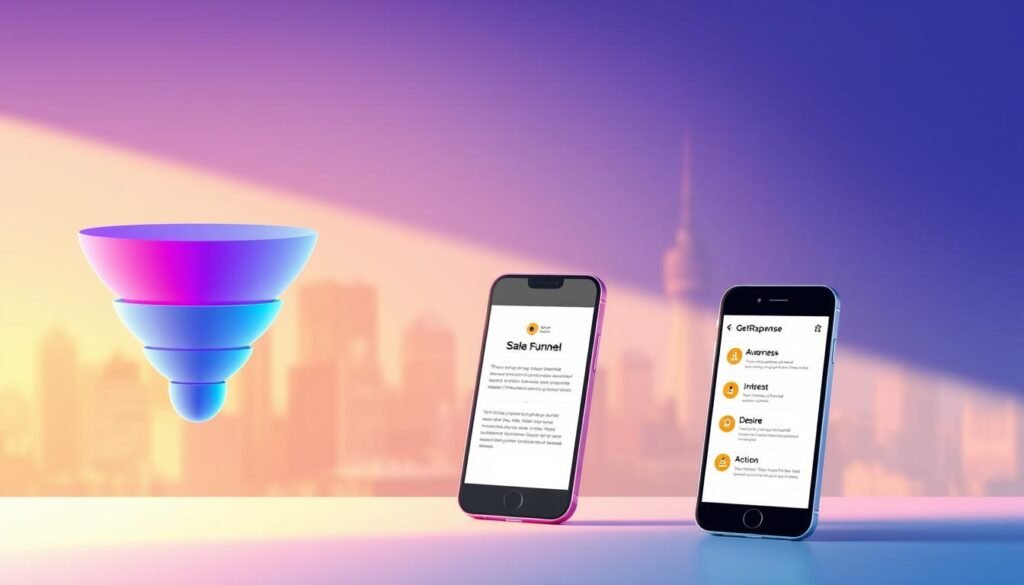
If you juggle meetings and launches, having rapid access to campaign health turns reactive work into planned edits.
This setup fits teams that need fast oversight rather than full builds on the go. It pairs a desktop-first creation flow with mobile-first monitoring and approvals.
SMBs, ecommerce, creators, and on-the-go teams
- U.S. SMBs: check dashboards, approve emails, and manage a small list between meetings to keep sales funnels active.
- Ecommerce managers: triage abandoned carts, push timely promos, and watch revenue tied to campaigns while traveling.
- Creators & educators: run paid newsletters and course promos; build deep funnels on desktop, then manage sends and comments on the go.
- Field sales, CS, and agencies: answer live chat, approve client emails, and keep multi-account dashboards in sync.
| Use case | Primary mobile benefit | When to use desktop |
|---|---|---|
| Small business marketing | Quick approvals & performance checks | Large list imports & template redesigns |
| Ecommerce stores | Cart triage & promo pushes | Catalog setup & AI recommendation tuning |
| Creators & agencies | Campaign sends & audience monitoring | Funnel creation & webinar configuration |
Practical takeaway: best results come from a hybrid workflow — build complex funnels and website assets on desktop, then manage and optimize daily from your phone. Align your plan to the team’s on-the-go needs, especially if automation and ecommerce drive outcomes.
getresponse mobile app review: our final rating and when to choose it
The final verdict weighs rapid responsiveness against full-featured desktop needs. Overall expert scores cluster near 4.2, reflecting solid execution across automation, funnels, and chat.
Who should buy it: choose this marketing platform if you need live chat, quick approvals, and oversight of automations while away from your desk.
- Score: Strong buy for marketers who pair phone checks with desktop builds.
- Best plan match: pair Marketer+ to unlock full automation value; Creator+ if webinars matter.
- Budget tip: start on Free or Starter to test fit, then scale when ROI appears.
- Limit: deep template edits and large funnel design still require desktop work.
| Need | Recommended plan | Why |
|---|---|---|
| Automation oversight | Marketer+ | Full triggers and ecommerce signals |
| Webinars + monitoring | Creator+ | Setup on desktop, manage on phone |
| Low-cost newsletters | Free/Starter | Test lists and simple campaigns |
Bottom line: the getresponse review rates this stack as a competitive, cost-effective choice. For teams who want speed and serious automation, it meaningfully boosts responsiveness month to month while keeping pricing attractive for the features included. Many users have praised its intuitive interface and robust functionality, highlighting the ease with which they can implement automated workflows. Additionally, checking getresponse user reviews on reddit can provide valuable insights into real-world experiences, demonstrating how the platform adapts to various team needs. Overall, it's a solid investment for those looking to enhance their marketing efforts efficiently. Additionally, many users have praised its intuitive interface and seamless integration with various platforms, making it a go-to solution for marketers. In fact, the getresponse user reviews on Trustpilot highlight the reliability and effectiveness of its automation tools, further solidifying its reputation in the market. With strong customer support and regular updates, GetResponse continues to enhance its offerings, ensuring that teams can maximize their marketing efforts without breaking the bank.
Conclusion
This wrap-up focuses on how the platform fits into your daily marketing rhythm. The getresponse review above shows a clear trade-off: rapid approvals, chat, and dashboard oversight versus deep builds that stay on desktop.
Use the getresponse free tier to test fits before you scale. Higher tiers and sensible getresponse pricing turn the phone into a true control center for automation, webinars, and conversion funnel monitoring. The tool combines live chat, ecommerce and GA links, and AI helpers so your email marketing platform reflects real revenue.
Practical take: adopt a hybrid playbook—build complex items on desktop, move fast on your phone, and iterate weekly. For U.S. SMBs, ecommerce brands, and creators, this email marketing tool can replace multiple point solutions and keep your sales funnels running smoothly.
FAQ
What core capabilities does the GetResponse mobile app provide for marketers?
The app lets you create, send, and monitor email campaigns, manage contacts and lists, review core analytics (opens, clicks, revenue), handle live chat and conversations, and perform basic ecommerce checks like abandoned cart status. It also offers AI-assisted subject lines and copy suggestions and lets you publish simple landing page updates and funnel steps.
Can I build full automation workflows from the phone?
You can monitor workflows, review tags and lead scores, and make minor edits or trigger sequences. However, designing complex, multi-branch automations is best done on desktop; the app limits visual mapping and deep conditional logic editing.
Is it possible to create and edit emails on the app with drag-and-drop features?
Yes, you can create and edit emails using templates and saved content blocks. The drag-and-drop editor is available but constrained compared with desktop: some precise layout adjustments and advanced design options require the web interface.
Which reporting metrics are available on the mobile dashboard?
Core metrics include send performance (opens, clicks), click maps, revenue attribution for ecommerce, and basic funnel insights. You can also view campaign summaries and export simple reports, but in-depth GA cross-analysis and complex funnel visualizations are more accessible on desktop.
Does the app support landing page creation and A/B testing?
You can publish landing pages and apply quick edits from the app. Basic A/B test controls and page status updates are supported, but building new, highly customized pages and running advanced split tests is easier in the desktop editor.
How well does the app handle ecommerce tasks like abandoned cart recovery?
The app surfaces abandoned cart alerts, shows recent sales, and lets you check cart recovery status. You can add promo codes to campaigns and include product blocks in emails; setting up complex product recommendations or catalog management is best performed on desktop.
Are AI features available within the mobile experience?
Yes. AI tools for generating subject lines, drafting email copy, and suggesting optimal send times are integrated into the app. These features speed up on-the-go content creation, though longer-form content editing still benefits from the desktop environment.
What collaboration and permission controls exist on mobile?
You can approve drafts, assign tasks, and manage basic user roles from the app. Full team management, detailed permission settings, and audit logs are more comprehensive in the web platform but the app supports routine approvals and quick role checks.
Which plan features work on the app and how does pricing affect the mobile experience?
Most features appear across tiers, but advanced tools—like large-scale automation, advanced ecommerce integrations, webinar hosting, and enterprise-level analytics—require higher plans. The free or Starter tiers let you access basic email creation, landing pages, and chat, while Creator/Max unlock more advanced funnels and analytics.
Does the app offer customer support and in-app help?
Yes. You can access live chat support, help documentation, and conversational inbox features from the app. For technical or account-level issues, web support and ticketing provide deeper assistance.
Are deliverability and compliance tools available on mobile?
The app includes basic deliverability checks, spam score hints, and compliance prompts for GDPR and opt-in settings. Full deliverability diagnostics and warm-up controls are more detailed in the desktop dashboard.
Can I manage webinars and live events via the app?
You can view upcoming webinars, manage registrations, and send reminders from the app. Hosting and setting up detailed webinar funnels and settings are typically handled through the web interface for the best control.
How does the app handle push notifications and web push campaigns?
The app supports viewing and sending web push notifications and tracking their performance. Quick edits and scheduling are available; complex segmentation for push campaigns is easier to configure on desktop.
Is offline access available for drafts or campaign data?
The app caches recent drafts and campaign summaries for brief offline use, allowing limited edits. Full functionality requires an internet connection to sync sends, analytics, and real-time ecommerce data.
Which user types benefit most from using the app?
Small business owners, ecommerce teams monitoring sales, creators managing newsletters, and remote marketing teams who need quick approvals and monitoring will gain the most value. Power users who design complex funnels or deep automations will still rely on desktop for heavy work.
How secure is account access on the app?
The app supports two-factor authentication and standard account security measures. For enterprise accounts, SSO options and advanced access controls are available via the web dashboard and apply to mobile sessions as well.